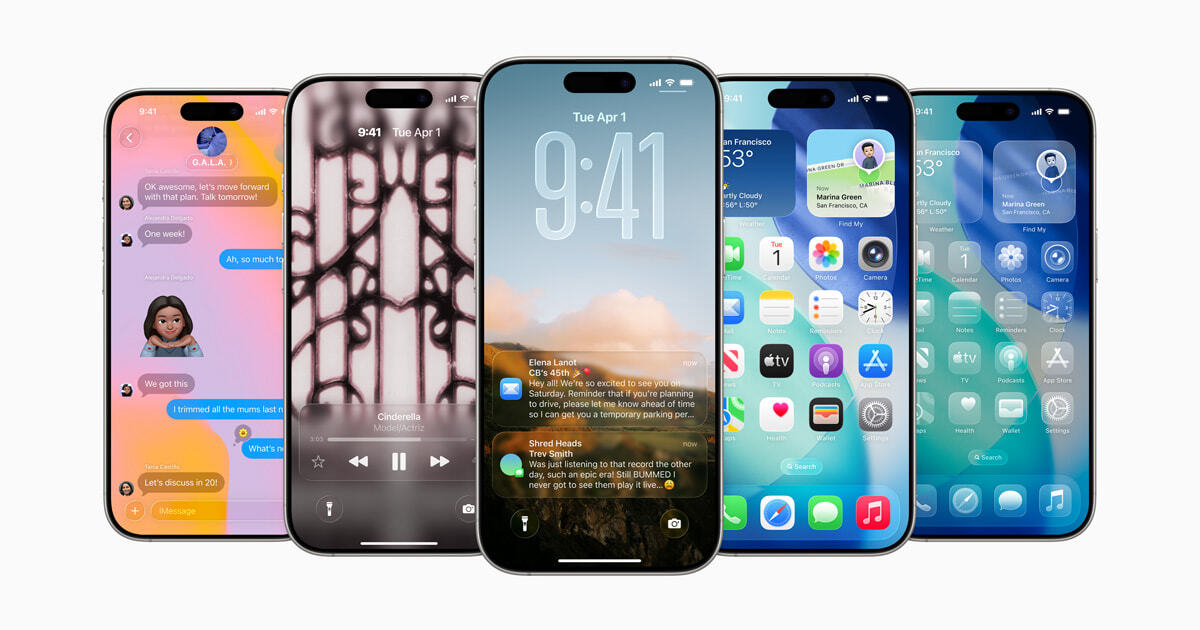
Apple is preparing to release the first public beta version of iOS 26-perhaps this week. The final release of the system is expected in the fall, and for now, developers can be the first to test new functions.
In iOS 26 will appear:
-
New Liquid glass design,
-
Extended Artificial intelligence (Apple Intelligence),
-
Translation Messages and calls in real time,
-
Improved multitasking and much more.
But before installing a beta version, it is worth considering several points:
-
This The test version, errors, malfunctions and problems with the operation of some applications are possible in it.
-
Better Install it on an additional iPhone so as not to risk the main one.
-
Necessarily Make a backup copy of the data.
-
Beta It can quickly discharge the battery.
-
Temporarily Avoid entering confidential data – vulnerabilities are possible.
-
Report About errors through the Feedback Assistant application – this will help improve the system.
-
Come back The previous IOS version may be complicated.
To install iOS 26, you need an iPhone 11 or newer with iOS 16.5 and at least 20 GB of free memory. First make a backup, then go to the BETA.Apple.com website, log in and register the device. Next, open the settings> Basic> update on> Beta-renewal and select iOS 26 Public Beta.